
Family Command Center: How to Sync Carpools, Activities & School Calendars
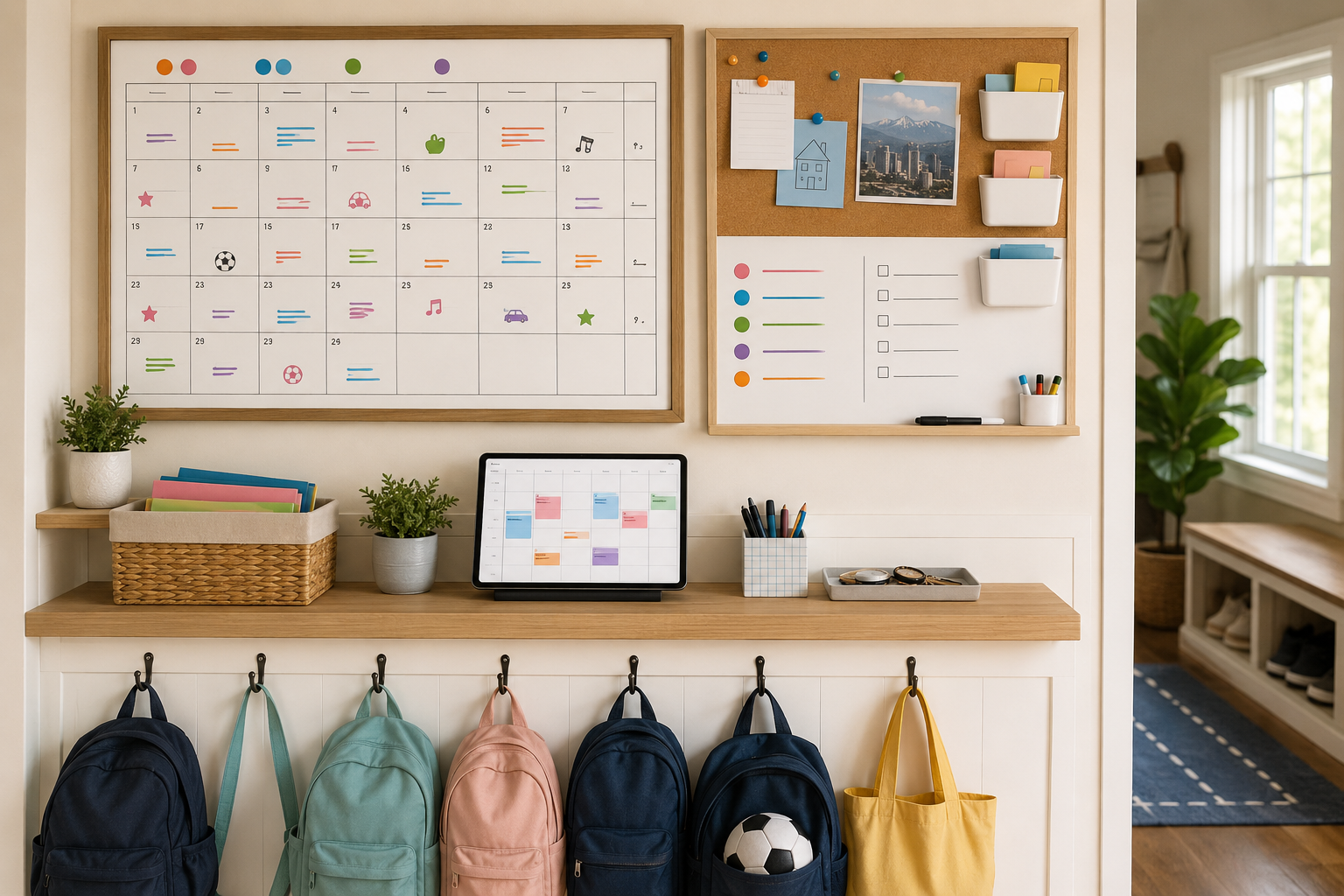
A family command center is one central system — physical, digital, or both — where every school, activity, and household commitment lives so anyone in the family can see what's happening without asking. It replaces scattered group texts, sticky notes, and "wait, I thought you had her today" moments with a single source of truth everyone actually uses.
For families in Nashville and Denver juggling multiple schools, sports seasons, and carpools, a command center isn't a nice-to-do organizing project. It's what keeps the fall semester from running you instead of the other way around.
What belongs in a family command center
A good command center covers four categories, and most breakdowns happen when one of these is missing or out of date:
School information — calendars, early releases, conference dates, school portal logins, teacher contact info
Activities and carpools — practice and rehearsal times, who's driving, backup drivers, equipment needed
Household logistics — meal plans, grocery lists, recurring appointments
Communication — a shared way for both parents (and any caregivers) to flag changes in real time
Step 1: Choose your format — and commit to one
You don't need anything fancy. The right format is whichever one your family will actually update.
Digital-only: A shared calendar (Google Calendar, Apple Calendar) paired with a family app like Cozi, Skylight, or FamCal works well for families who are always on their phones anyway.
Physical-only: A wall calendar and whiteboard in a high-traffic spot — by the door or in the kitchen — works for families who want kids to see the plan without needing a device.
Hybrid: Many families keep a digital calendar for logistics and a physical whiteboard for the at-a-glance weekly view kids check each morning.
Whichever you choose, the system fails if only one parent maintains it. Build it together, and agree on where updates get entered the moment they're known.
Step 2: Color-code by person, not just by category
A command center with twelve activities listed in identical black text is hard to scan in the ten seconds you have before walking out the door. Assign each family member a color. At a glance, you should be able to tell whose day is packed and whose has room for an extra errand or appointment.
Step 3: Build the carpool layer separately
Carpools are the single biggest source of back-to-school stress because they depend on coordination with people outside your household. Once your internal calendar is solid, layer in:
A running list of who drives which days, with phone numbers
A backup plan for each recurring carpool slot
A shared note or group thread for last-minute changes (practice canceled, pickup moved)
Many Nashville and Denver families set this up with one other family per activity rather than a large rotating group — fewer moving parts means fewer breakdowns.
Step 4: Sync school information in one pass at the start of the year
Most school calendars, supply lists, and portal logins arrive in the first two weeks. Instead of letting that information sit in eight different emails, do one sit-down session per child:
Add every date from the school calendar to your shared calendar
Save portal logins and teacher contact info in a shared, secure note
Flag the dates that affect logistics — early releases, no-school days, picture day — in a different color so they stand out
Step 5: Review and adjust weekly
A command center isn't a one-time setup — it needs a standing 10–15 minute review, ideally Sunday evening, to confirm the week ahead, catch new activity sign-ups, and make sure carpool coverage is locked in. Skipping this step is the most common reason command centers fall apart by October.
Frequently Asked Questions
What is a family command center? It's a single, shared system — digital, physical, or both — where a family tracks school calendars, activities, carpools, and household logistics so everyone can see the plan without asking.
What's the best app for managing a family schedule? Cozi, Skylight, and a shared Google Calendar are popular choices because they let every family member view and update the same information in real time.
How do I organize carpools with other families? Set up a dedicated list with driving days, phone numbers, and a backup plan for each slot, and keep changes in one shared thread rather than spread across multiple texts.
How Friday Can Help
Setting up a command center is straightforward. Keeping it accurate every single week, while juggling everything else, is where most families fall behind. Friday's personal assistants can build and maintain your family's shared calendar, manage carpool logistics and communication with other families, track school dates and deadlines, and run the weekly check-in so the system never goes stale.
Get started with a complimentary consultation and let Friday help you build a command center that actually holds up through the school year — in Nashville or Denver.
